
Your email address is more than just a digital mailbox. It is your online passport. You use it to log into your bank, reset passwords, and manage your entire digital life. But every time you hand it over to a random website for a discount code or a newsletter, you put that passport at risk.
Spam is not just annoying; it is dangerous. In 2024, nearly 50% of all global email traffic was spam. More concerning is that billions of phishing emails are sent every day, trying to trick you into clicking on malicious links. Once a hacker has your primary email, they have the key to your personal data.
There is a simple solution: the disposable email address.
In this article, we will explain exactly what disposable emails are. We will also show you the best tools to use in 2025 to keep your inbox clean and your identity safe.
What is a Disposable Email Address?
Think of a disposable email address like a “burner phone” for the internet. It is a temporary or alternate email address that you use instead of your real one. When you sign up for a service you don’t fully trust, you give them this throwaway address.
If that address starts getting spammed, you can simply delete it. Your real inbox stays clean, and your actual identity remains hidden.
Most people use these for:
- One-time verifications: When a site requires an email to download a file or read an article.
- Shopping discounts: Getting a 10% off coupon without signing up for a lifetime of marketing emails.
- Testing apps: Signing up for new services without risking your data.
- OSINT Investigations: For private investigators, these tools are vital for creating accounts without revealing their identity or agency.
The Three Types of Disposable Emails
Not all burner emails work the same way. Depending on your needs, you can choose from three main types.
1. Temporary Inboxes (The “Burner”)
These are short-lived accounts that last anywhere from 10 minutes to a few hours. You don’t need to create a password or sign up. You just visit the site, copy the address, and wait for your confirmation email. Once the time is up, the address self-destructs.
2. Forwarding Aliases (The “Shield”)
These services create a fake email address that forwards messages to your real inbox. If an alias starts receiving spam, you can turn it off. This is great for ongoing accounts, like a newsletter or a shopping site, where you still want to receive messages but want the option to “pull the plug” later.
3. The “Plus” Method (The “Filter”)
This is a trick built into major email providers like Gmail. You add a plus sign (+) and a word to your username. It doesn’t hide your identity, but it helps you filter spam.
Top Disposable Email Services for 2025
The tools for digital privacy have improved significantly. Here are the best options available today.
Proton Mail (Best for Security)
Proton is a leader in encrypted email. While they offer paid plans, their free tier is excellent for creating a permanent, secure secondary address. Unlike temporary sites, a Proton account is real and lasting, but it is fully encrypted.
- Best for: Creating a “clean” account for banking or sensitive communications.
10MinuteMail (Best for Speed)
This is the classic “burner” option. When you visit their site, you are instantly given an email address. The page refreshes automatically when emails arrive.
- Best for: Quick verifications, Wi-Fi logins at airports, or downloading a one-time file.
SimpleLogin or Firefox Relay (Best for Aliases)
Both of these services allow you to create email “masks.” You can create a unique email address for every single account you sign up for. If one of those accounts gets breached, you just disable that specific alias.
- Best for: protecting your identity across hundreds of different websites.
Apple’s “Hide My Email”
If you use an iPhone or iCloud+, this feature is built right in. When you sign up for an app or website, Apple offers to generate a random email address for you. It forwards mail to your inbox but keeps your real address hidden from the app developer.
How to Use the “Gmail Plus” Trick
If you don’t want to use a third-party tool, you can use a feature built into Gmail.
Let’s say your email is john.doe@gmail.com. If you subscribe to a newsletter, you can enter john.doe+newsletter@gmail.com.
Google ignores everything after the plus sign, so the email still lands in your inbox. However, you can now see exactly who sold your data. If you start getting spam at john.doe+shoe-store@gmail.com, you know exactly which shoe store leaked your information.
Why You Must Protect Your Email Address
You might think, “I have nothing to hide.” But privacy isn’t just about secrets; it’s about security.
1. Data Breaches are rising. In 2024, data breaches exposed billions of personal records. The “National Public Data” breach alone leaked information on 1.3 billion people. When you use unique email addresses for every site, a breach at one company doesn’t compromise your entire digital life.
2. Phishing Defense Hackers use automated bots to scan the web for valid email addresses. Once they have yours, they target you with phishing scams. By using disposable addresses, you keep your primary email off these lists.
3. Preventing Identity Theft. Your email is often the username for your bank and credit cards. If a criminal connects your email to your home address (found via a shipping confirmation), they have the pieces needed for identity theft.
- Related Resource: If you are worried your information is already out there, you can use our guide on how to Delete Online Information to start cleaning up your footprint.
A Warning for Investigators and Users
While disposable emails are powerful, they have risks.
Do not use temporary inboxes for important accounts. If you use a 10-minute email for a Facebook or bank account, you will lose access forever once that email expires. You will never be able to reset your password.
Some sites block them. Many websites know the domains used by disposable services (like @mailinator.com) and will block you from signing up. In these cases, using a paid alias service like SimpleLogin often works better.
Don’t hide from the law. Disposable emails protect you from spammers, not the police. Internet Service Providers (ISPs) and email services still keep logs. If you are conducting a professional investigation, ensure you follow all legal guidelines regarding pretexting and impersonation.
What to Do If You Find a Suspicious Email
If you are an investigator or just a curious user, you might want to know who is behind a strange email address you received.
- Reverse Email Lookup: You can run a search to see if an email address is connected to social media profiles or public records.
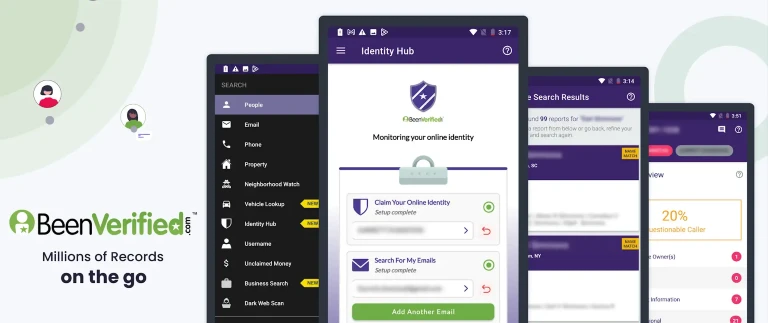
- People Search: Tools like BeenVerified allow you to search billions of public records. You can cross-reference email addresses with phone numbers and criminal records to verify an identity.
Summary
Protecting your online identity is easier than you think. You don’t need to be a tech expert to stop spam.
- Use a primary email only for family, friends, and banking.
- Use a forwarding alias (like Firefox Relay) for shopping and newsletters.
- Use a temporary inbox (like 10MinuteMail) for one-time downloads.
By separating your communications, you reduce the risk of phishing and keep your personal inbox peaceful.
- Need more tools? Check out our list of OSINT Research Tools for more ways to investigate and protect online data.
Sources
- https://www.statista.com/statistics/420391/spam-email-traffic-share/
- https://www.ibm.com/reports/data-breach
- https://proton.me/mail
- https://10minutemail.com/
- https://relay.firefox.com/
- https://support.apple.com/en-us/HT210425

- Mastering the Art of Process Service: Why Private Investigators Are the Gold Standard - March 1, 2026
- Mastering PimEyes: The Ultimate OSINT Guide for Private Investigators - February 23, 2026
- Navigating Privacy Laws: A Compliance Guide for the Modern Investigator - February 18, 2026